Sketchfab
1. What is Sketchfab?
Sketchfab is a website where you can share various types of 3D data. You can upload and publish your own 3D models (which can also be sold for a fee), or download other users’ 3D models to use in your own projects (licensing terms vary by content). You can also view 3D objects using a VR headset.
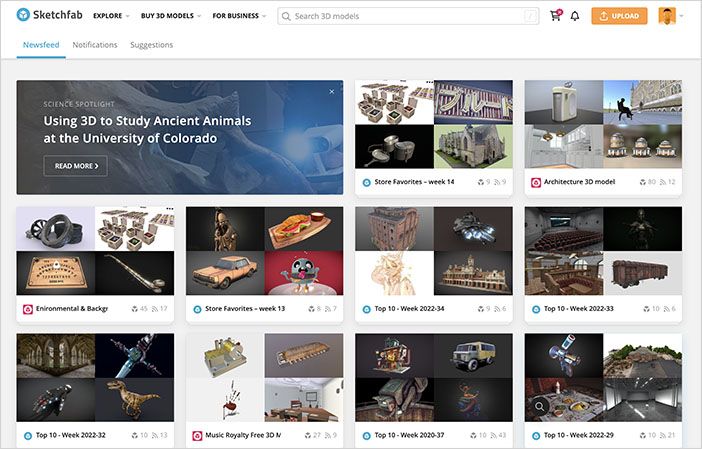
In recent years, there has been an increase in high-quality photogrammetry projects.
Although it has nothing to do with the 3D scanning in class, a scene from Nausicaä has been converted to 3D and released.
(Reference) Gigazine - Faithful recreations of iconic scenes from “Nausicaä of the Valley of the Wind”
2. Types of Licenses
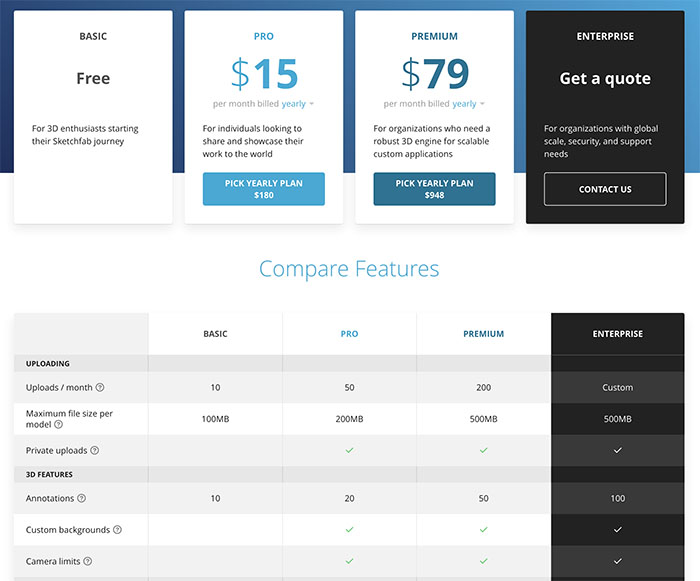
Sketchfab offers the following four types of licenses.
- BASIC: Free
- PRO: $15/month
- PREMIUM: $79/month
- ENTERPRISE: Contact us
Specifically, the free BASIC plan has a monthly upload limit of up to 10 models, with each model limited to 100 MB, and all models are set to “Public.” With the Pro plan and above, in addition to the option to set models to “Private,” you get increased upload limits, larger model file sizes, and other enhanced features.
3. Create an Account
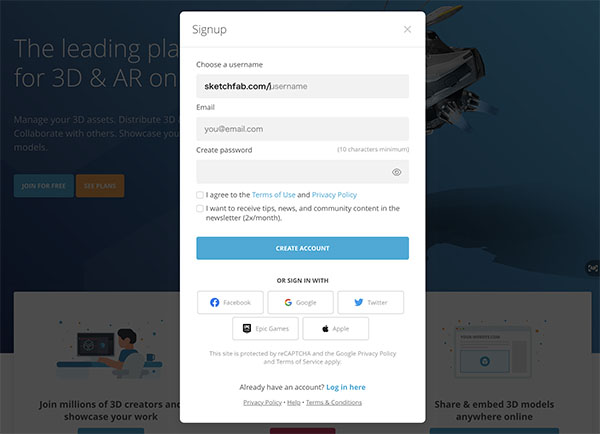
Click “SIGN UP” in the upper-right corner of the website (https://sketchfab.com/).

In addition to registering with an email address, you can also sign up using your Facebook, Google, or Twitter account.
4. Uploading 3D Data
After logging in, click the UPLOAD button in the upper-right corner of the site.

It supports multiple file formats, including FBX, OBJ, and STL. You can either drag and drop multiple object and material files at once or upload them as a compressed file, such as a ZIP file.
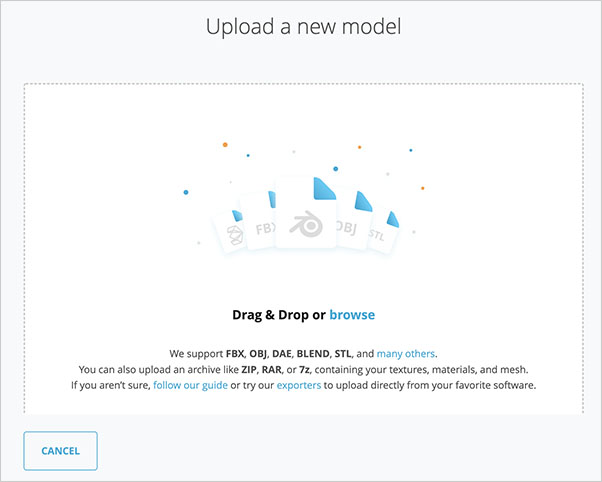
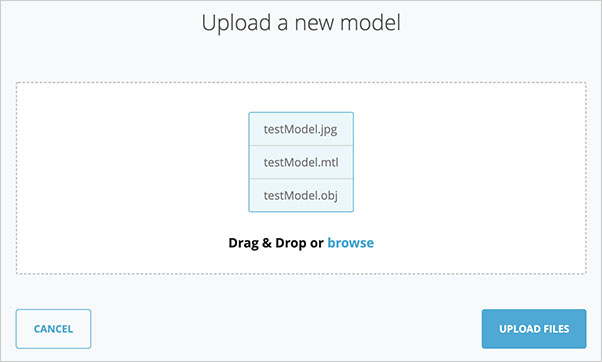
For example, upload OBJ, MTL, and PNG files created in Metashape.
After dragging and dropping the three files at once, the screen will appear as shown below. Then, click “UPLOAD FILES” in the lower-right corner.
5. Editing Content
After the upload has been running for a short while, a screen like the one shown below will appear.
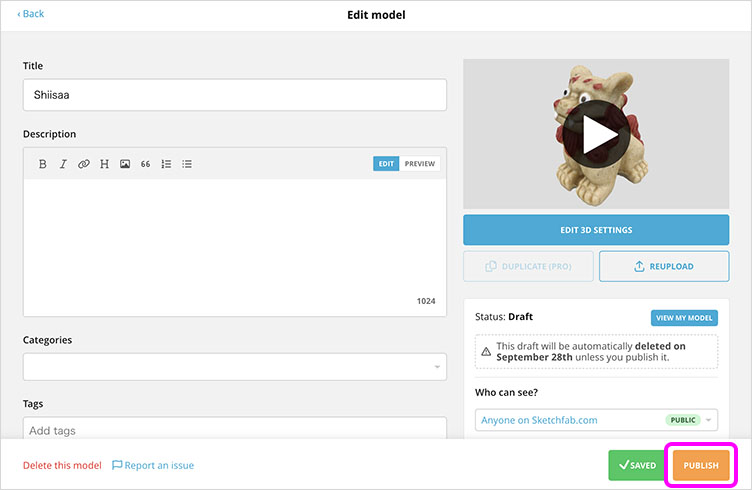
Edit the title in Tile.
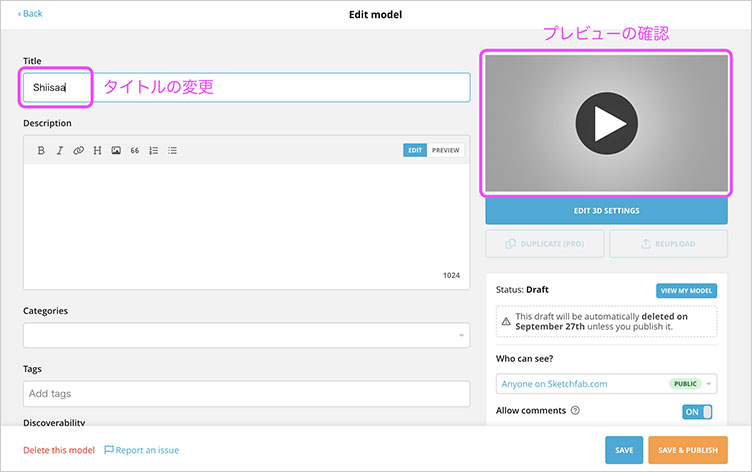
Click the ▶ button on the right side of the image above to view a preview.
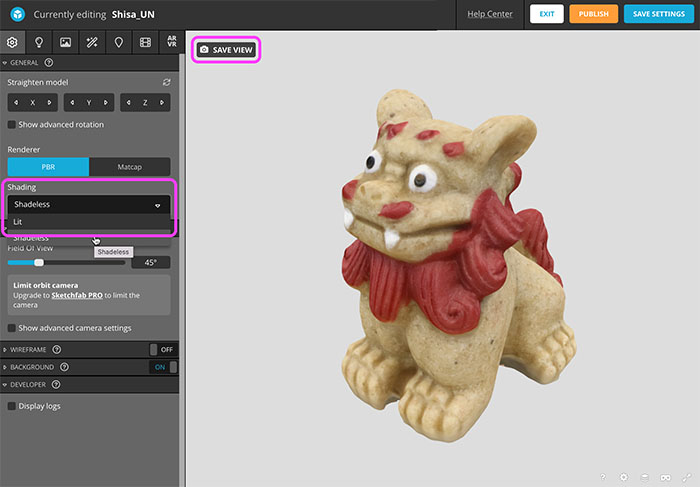
You can publish it as is, but click “EDIT 3D SETTINGS” to change the initial position or shading.
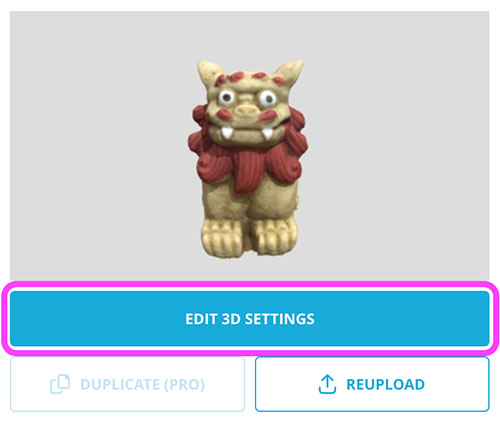
You can configure various display settings. Here, we will configure only the following two.
- Shading: Shadeless (Displays the texture image as-is without calculating lighting)
- SAVE VIEW (Click to set the initial view composition)
Once you’ve finished configuring the settings, click “SAVE SETTINGS” in the upper-right corner, then click “EXIT.” If everything looks good at this point, you can go ahead and publish by clicking “PUBLISH.”
Review the title and other details, then click “PUBLISH.” *Data downloads are disabled (default setting). With a BASIC license, once you click “PUBLISH,” you cannot make the content private; therefore, if you wish to stop publishing it, you must delete it.
6. BASIC Plan Limitations
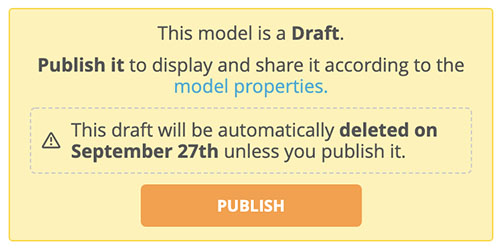
With the free BASIC plan, you are limited to uploading a maximum of 10 files per month, with a size limit of 100 MB per file, and all files will be set to “Public.”
Since you cannot set it to “Private,” even if you save your work while editing, the data will be automatically deleted unless you make it public within 30 days.
7. Copyright of 3D Scan Models
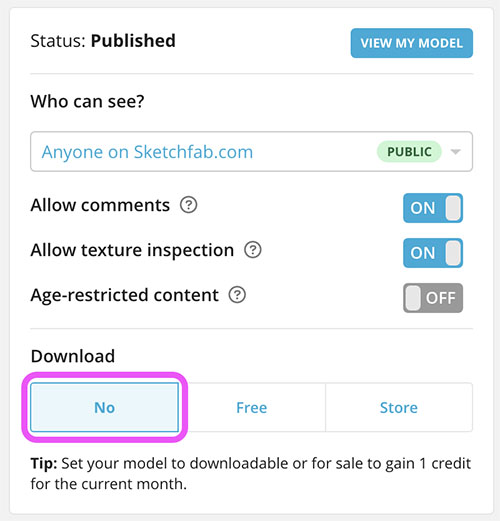
Published with data download disabled
In this exercise, we will perform 3D scans limited to objects that are not copyrighted works (i.e., those unrelated to characters or designs). Based on Reference [1], p. 113, which states that “this constitutes the measurement of factual information, and it is difficult to identify the necessity or significance of recognizing new rights,” we will publish the results of this experiment measuring the physical shapes of individuals in a form that cannot be reused (i.e., the data cannot be downloaded).
Regarding the Sample Scan Data for This Exercise
The website lecture.nakayasu.com features images of cat and Shisa figurines (mass-produced souvenirs of unknown origin). In the case of mass-produced souvenir figurines, whether they qualify as copyrighted works depends on whether they fall under the category of arts and crafts. Furthermore, whether their use constitutes infringement also depends on the purpose of such use.While reproducing and selling such items using 3D printers based on 3D data could potentially be problematic, we have determined that publishing images of items where the 3D data measured by an individual cannot be downloaded does not constitute copyright infringement, as it is treated similarly to posting snapshots.
Legal Discussion
When publishing 3D scan data of physical objects or creating replicas using 3D printers and similar technologies, care must be taken, as this may infringe on copyrights, design rights, trademark rights, and other intellectual property rights. The handling and publication of 3D scan data of physical objects are still under discussion, and since current laws are still in the implementation phase, regulations may change in the future.
(References)
- [1] Clarification of Copyright and Related Issues Regarding the Publication of 3D Data (PDF)
- [2] Challenges Posed by 3D Data Under Intellectual Property Law (PDF)
- [3] Protection of Designs as 3D Data and Design Law (PDF)
- [4] What Are the Copyright Law Issues with 3D Printing Technology?! (2018 article)
- [5] Cloned Cultural Properties and 3D Data Copyright (2017 article)
- [6] What About Copyright and Right of Publicity for Items Made with 3D Printers? (2016 article)
8. Sharing
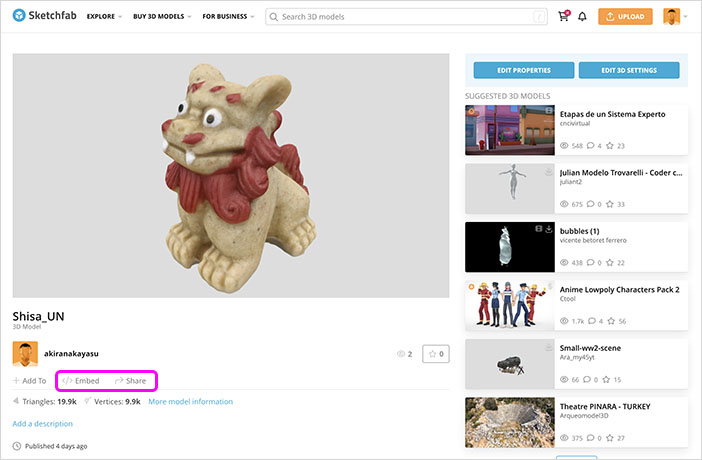
Go to User Menu > Models to display the target content page. Click “Share” or “Embed” in the lower-left corner.
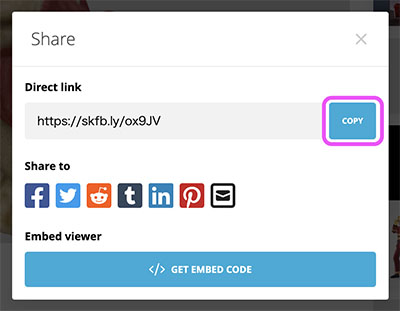
Click “COPY” on the right to share the content page URL. (How to submit assignments)
To embed the video on a blog or other site, open the Embed Viewer, click “COPY TO CLIPBOARD” in the lower-left corner, and paste the embed code into the target site.
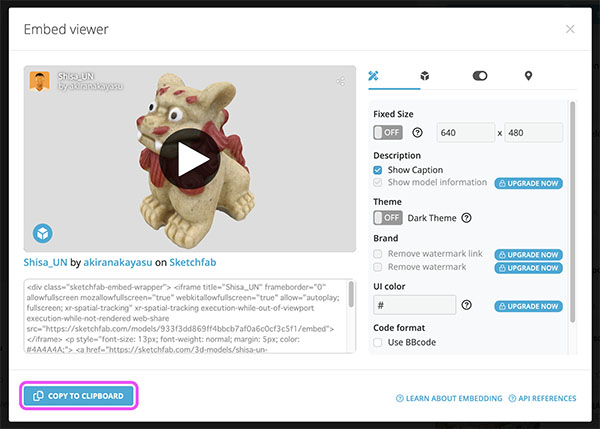
Here’s what I actually embedded.