DTP
1. What is DTP?
DTP = Desktop Publishing
Coined in the 1980s, the term combines “Desk Top” and “Publishing” to refer to the creation of printed materials using computers.When personal computers first appeared, notebook computers were called “laptops” (meaning “on the lap”), whereas box-shaped computers that were not meant to be carried around were called “desktop computers” because they were typically placed on a desk for use. The introduction of computers dramatically transformed the analog print production processes that existed before DTP. The previously manual, artisanal work was consolidated onto computers, leading to rapid improvements in efficiency.The advent of applications such as Photoshop and Illustrator made it possible to transcend the limitations of analog design, significantly expanding the range of expression in graphic design. Furthermore, the development of digital printing equipment—such as CTP (computer-to-plate), on-demand printing, and online printing services—along with the advent of the internet, has made it possible to produce simple, low-cost printed materials.
2. Required Hardware
- Computers: Mac, Windows
- Displays
- Input devices: Digital cameras, scanners
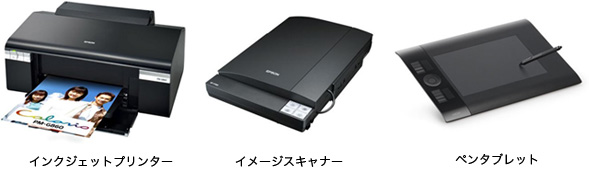
- Output devices: Printers (laser, inkjet)
- External storage devices: USB flash drives, SD cards, etc.
- Pen tablets, LCD tablets
- Internet
3. Required Software
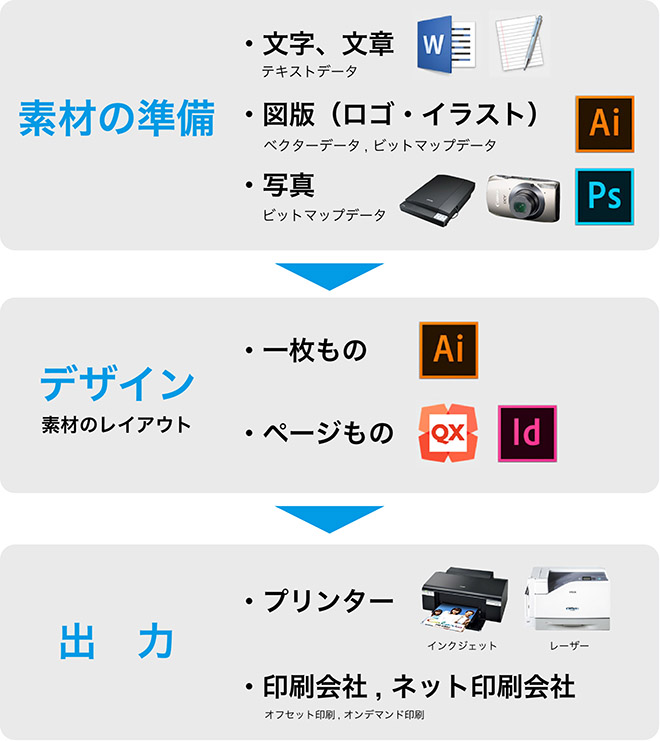
- Adobe Photoshop: Photo and image editing (bitmap data editing)
- Adobe Illustrator: Graphic and illustration editing, single-page layout (vector data editing)
- Adobe InDesign: Multi-page layout
- QuarkXPress: Multi-page layout
- Adobe Acrobat: PDF editing
- Font management software (Font Book (standard on macOS), Suitcase Fusion)

4. The Print Production Process
5. Bitmap Data and Vector Data
Bitmap Data (Raster Data)
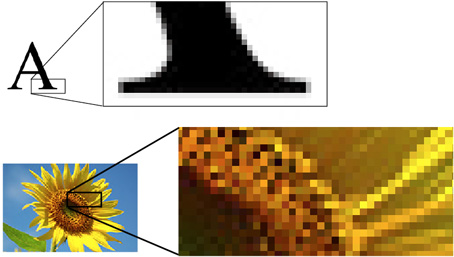
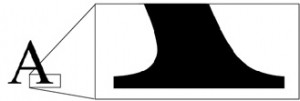
A file format used for image data in applications such as Adobe Photoshop and Painter. This format consists of pixels arranged in a grid pattern, and jagged edges become noticeable when the image is zoomed in. The print quality of this format depends on the resolution (measured in dpi, or dots per inch).
Vector Data
A file format used for graphics and illustrations in Adobe Illustrator, Adobe Flash, and other applications. Because vector data represents lines and curves as mathematical equations, the image quality does not degrade even when the graphics or illustrations are scaled, rotated, or otherwise manipulated.
6. Pixels and Image Size
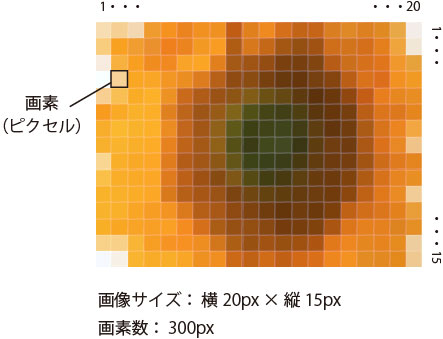
The smallest unit that makes up a bitmap image is called a pixel.
The total number of pixels in an image is referred to as the “pixel count,” and the product of the horizontal and vertical pixel counts is called the “image size.” The term “image size” is often used interchangeably with “pixel count,” and the pixel count is frequently considered to be equivalent to the image size. Additionally, since “image size” can sometimes refer to the physical dimensions of a printed image (in cm or inches), it is important to clarify the specific context when using these terms.
Image size is used to check the image quality of the data, and, together with resolution, to verify print quality. Pixel count is a metric used to indicate the performance of digital cameras. For example, a 6-megapixel camera can generally be considered capable of capturing images with a resolution of approximately 3,000 pixels by 2,000 pixels.
7. Resolution
The number of pixels per inch (2.54 cm) is called resolution. The higher the resolution, the clearer the print will be.
While the unit for data resolution in Photoshop is ppi (pixels per inch) and the unit for printer resolution is dpi (dots per inch), dots and pixels are generally considered to be almost the same thing, so dpi is commonly used.
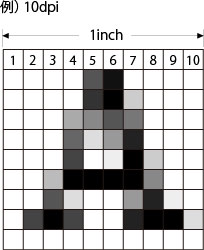
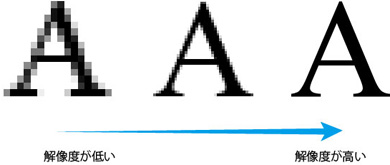
The standard resolution for printed materials is 300–350 dpi. Based on this standard, an A4 page at 300 dpi measures 2480px × 3508px, and an A1 page at 300 dpi measures 7016px × 9933px, allowing you to determine the required image size based on the final print size.However, large-format items such as posters are viewed from a distance, unlike books or flyers that are held in the hand, so they may sometimes be produced at around 200 dpi or lower. Furthermore, even if you print using high-resolution data of 300 dpi or higher, if the printing press does not support it, the process will simply become more burdensome without resulting in a higher-quality print.
The actual print quality is influenced not only by the resolution of the digital data but also by the “line count,” which depends on the performance of the printing press and the quality of the paper.
8. CMYK and RGB
CMYK (Color Model)
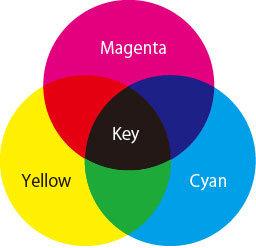
A color representation system that combines the three primary colors of pigments—C (cyan), M (magenta), and Y (yellow)—with K (black), which is frequently used for text and other elements in printing. CMY is known as subtractive color mixing; colors become darker as they are layered, and mixing all three in equal parts results in black.(Since this actually results in a dark gray, black is added in printing as described above.) Because computer displays use the three primary colors of light—RGB—it is necessary to understand the difference between the colors seen on a display and those in print when creating printed materials. Incidentally, the “K” in black does not stand for “Black,” but rather for “Key Plate,” a printing plate used to indicate fine details such as image outlines.
RGB (Color Model)
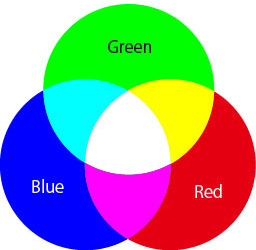
A method of color representation that uses the three primary colors of light—R (red), G (green), and B (blue)—commonly found in displays and digital cameras. RGB is known as additive color mixing; as colors are layered, they become brighter, and when the three are mixed in equal proportions, they produce white.
9. Laser Printers and Inkjet Printers
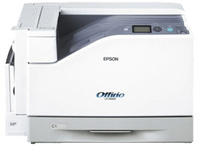
Laser Printer (CMYK Printer)
A toner-based laser printer is a printer that uses CMYK ink (toner) to produce prints.
Inkjet Printers (RGB Printers)
Inkjet printers were originally designed to reproduce the colors of photographs, which is why they use the RGB color space with its wide color gamut. These printers achieve bright, vivid prints by adding light magenta and light cyan to the four CMYK colors used in printing inks.
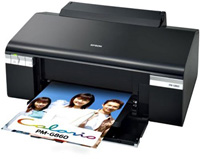
For the reasons mentioned above, inkjet printers are the best option for reproducing colors that closely match those on a display screen. However, unlike professional printing companies, standard home printers are not strictly calibrated (color-adjusted), so it is only natural that the printed colors will differ from those on the screen. It is important to understand this before using a printer.
10. Halftone
Printed materials are rendered as a collection of ink dots, known as halftone dots.
In a printing company’s press, the four plates (CMYK), each represented by dots, are printed in layers, much like the overprinting technique used in ukiyo-e. It can be said that modern printing technology is based on a principle that combines overprinting with precise mosaic patterns.
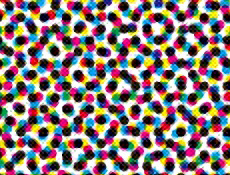
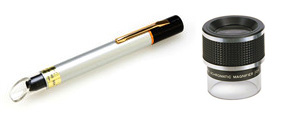
Although it doesn’t look like this to the naked eye, printing companies use magnifying glasses like the one shown below to check print quality.
11. Dragonflies and Overprinting
“Crop marks” are guidelines used to trim the print to its final size; in the business card shown below, “corner crop marks” and “center crop marks” have been added. Use the center and corner crop marks as guides to align the print, then trim along the trim lines.
*The name “Tombō” comes from the fact that the Centaury resembles the insect known as a dragonfly.
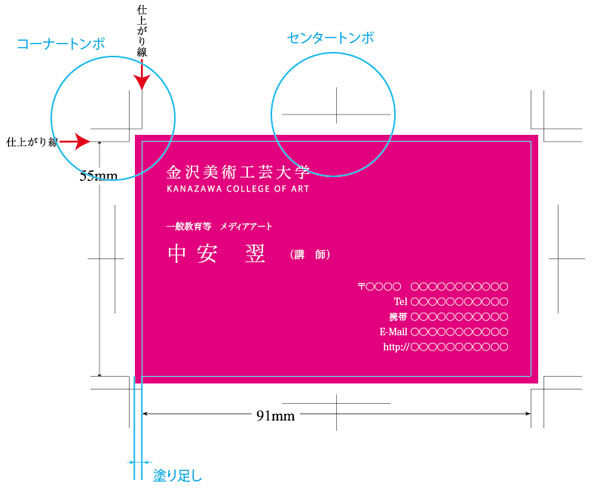
In addition, when designing printed materials with photos or colors extending to the very edge, the images must be laid out so that they extend beyond the trim line to account for any misalignment during trimming. This extended portion is called the “bleed” (trim margin).