2D Animation Software
1. Classification of 2D Animation Tools
This section explains the classifications and features of animation tools that feature characters. Please note that these are broad classifications; in actual animation production projects, multiple tools—including VFX post-processing—are combined to achieve the desired visual effects.
1.1 Frame-by-Frame Animation
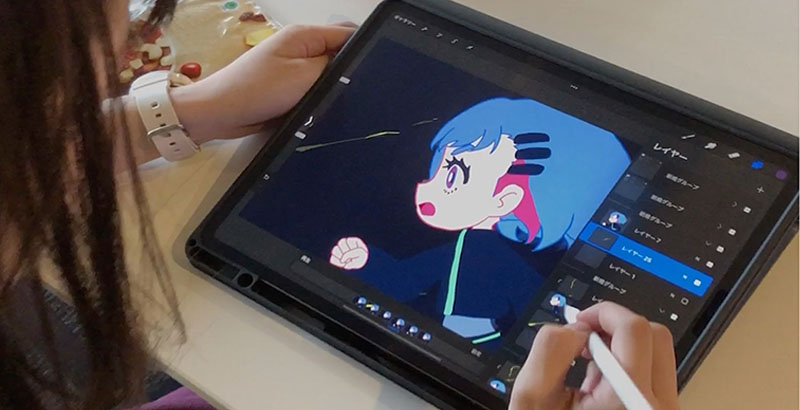
This uses the same mechanism as traditional cel animation. While during the transitional period, artists would often draw on paper and then scan the artwork, the current mainstream method involves digital painting directly on a computer, a graphics tablet, or a tablet device such as an iPad. Since frame-by-frame animation requires drawing each frame individually, the process—including redrawing to make corrections—takes a significant amount of time. Even when based on frame-by-frame animation, it is common to utilize multiple techniques, such as incorporating tweening (transformation) in certain parts.
1.2 2D Puppet Animation
A technique in which character illustrations are broken down into individual parts and rigged (structured for animation), allowing the character to be animated using keyframes and behaviors.
Since it became possible to achieve pseudo-3D effects by combining illustration with deformation, this technique has enabled a level of expressiveness that defies expectations for 2D rigging, and it has established itself as a standard method for efficient animation production.
1.3 3DCG Toon Shading (Cell-Shaded)
A technique for rendering 3D CG shading in a toon-style (2D animation style). It is also known as cell shading or the “cell look.” Achieving the cell look requires a compatible renderer, so third-party cell-look renderers are often added to 3D CG software as plugins.The combination of 3ds Max and PSOFT Pencil+ 4 is well-known for creating a cell-shaded look for cute female characters. A Blender-compatible version of Pencil+ 4 has also been released.
References
- [Blender 3.4] How to Set Up an Illustration-Style Toon Shader [ToonShader]
- Autodesk - AREA Japan - Cell-Shaded Character Modeling Tutorial
2. Various 2D Animation Software
There are many tools available that allow you to create 2D animations using a PC or tablet.
2.1. Adobe Photoshop
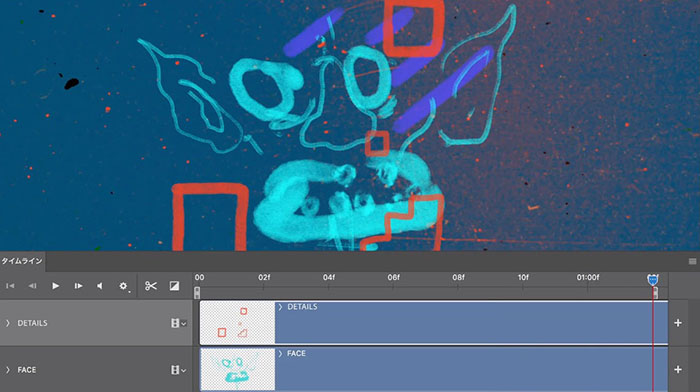
Photoshop isn’t just for editing still images; it also features a timeline and onion skinning, allowing you to create hand-drawn frame-by-frame animations when used with a tablet.
References
- [Official Adobe Tutorial] Drawing Anime with the Brush Tool (GIF)
- Anim Dessin2 (A Photoshop plugin that streamlines timeline operations and more)
2.2. Procreate
The iPad app Procreate offers not only painting and illustration tools but also animation features. When used with the Apple Pencil, it allows for intuitive animation creation.
For your reference
2.3. CLIP STUDIO PAINT
https://www.clip-studio.com/clip_site/clipstudiopaint/scenes/animation
CLIP STUDIO PAINT is a widely used software for painting, manga creation, and animation production, catering to everyone from beginners to professionals. It is commonly referred to as “Clip Studio.” While RETAS STUDIO was also used in the animation industry, development has already been discontinued, and Clip Studio appears to be its successor.
2.4. Adobe Character Animator
https://www.adobe.com/jp/products/character-animator.html
Adobe Character Animator is a 2D character animation system that integrates real-time motion capture (facial, body, and lip-sync) with a recording system. It can be used not only for creating animated works but also for producing VTubers.While Live 2D excels in certain areas of expressiveness, Character Animator integrates motion capture (including lip-sync) and recording systems into a single application. Because it is relatively easy to learn, it is a highly polished application suitable for users ranging from beginners to advanced users.
2.5. Adobe Animate (Flash’s successor)
https://www.adobe.com/jp/products/animate.html
Flash became widely adopted for its ability to create lightweight vector animations on the web, but support for it was discontinued due to security concerns. Animate retains Flash’s distinctive interface and allows users to create vector animations frame by frame with a highly responsive workflow. It also includes the rigging features required for Puppet Animation.
2.6. Adobe After Effects
https://www.adobe.com/jp/products/aftereffects.html
After Effects is a software program used for a wide range of applications, including 2D animation, motion graphics, 3D compositing, color grading, and VFX (visual effects). In particular, it features a Puppet Tool designed to assist with 2D animation, which is a convenient tool for easily adding movement to illustrations.
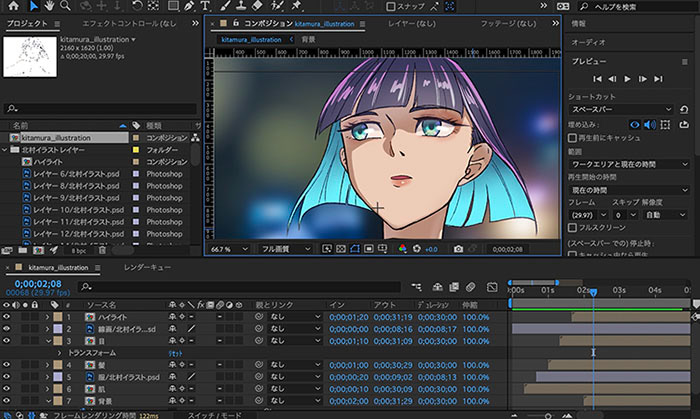
It is common practice to import character assets created in Illustrator or Photoshop into Adobe Animate and Adobe After Effects.
2.7 Duik Bassel (After Effects plugin)
A 2D character animation plugin for After Effects.
While it is possible to create 2D character animations in Animate and After Effects, I personally find that using Character Animator, as mentioned earlier, is more efficient. Character Animator originally debuted as an After Effects plugin, but since becoming a standalone application, its development has advanced significantly, and I feel it has become both more feature-rich and easier to use.
2.8. Moho Animation Studio
Vector-based animation software. It features rigging and lip-syncing capabilities. Rather than relying on hand-drawn frame-by-frame animation, it allows users to define character movements by rigging the characters. By setting transformations for illustrations, 2D rigging enables movements that feel three-dimensional rather than flat. It seems user-friendly for 2D creators, allowing them to focus on the animation itself during production.
It was used in *The Breadwinner* (video below), which was nominated for Golden Globe and Academy Awards.
2.9. TV Paint
A professional-grade painting-based animation tool. While it is used in Japan, it is software that is frequently seen in overseas animation productions.
See also
2.10 Blender - Grease Pencil
The 3D CG software Blender includes a 2D painting tool called Grease Pencil.
Using Grease Pencil allows you to draw not only frame by frame on a flat screen but also in three-dimensional space, enabling you to create expressions that blend with 3D CG.
References
- Painting with Grease Pencil (Basic Operations Summary) [Blender 2.81]
- Introduction to Blender 2D
- 5 Things a Hand-Drawn Animator Discovered After Trying Grease Pencil
3. Animation Production Using AI
Generative AI tools capable of creating content—such as Midjourney, Stable Diffusion, and ChatGPT—which emerged in mid-2022, are advancing rapidly and are beginning to influence animation production tools as well. (Information current as of April 2023)
3.1 Animated Drawings
Animated Drawings analyzes a single illustration, rigs it, and allows you to animate it simply by selecting an animation pattern.
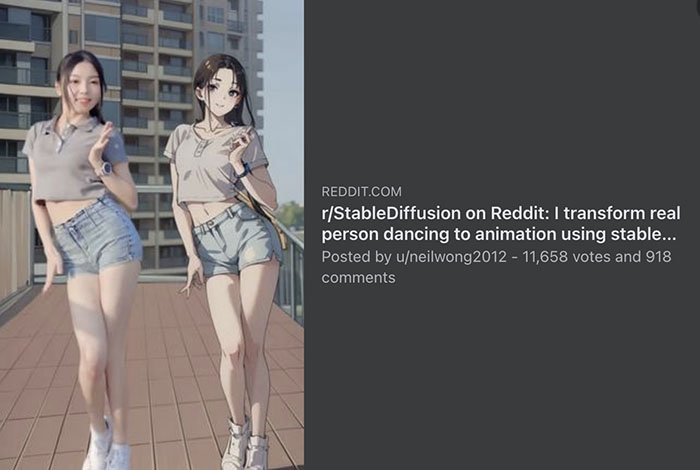
3.2 Generating Animations from Live-Action Videos Using Stable Diffusion and multiControlNet
By combining Stable Diffusion with multiControlNet, it is possible to automate frame-by-frame conversion from live-action video. However, since each frame is regenerated individually, there is a lack of overall consistency, and elements such as clothing and facial features vary from frame to frame. Methods to correct this have been developed, so it may only be a matter of time before seamless conversion becomes possible.
- Links to source sites (including videos)